
You probably have a task you wish took less of your day: putting together the same report, searching through documents or matching records by hand.
Anthropic's November 2026 report, Working with AI, includes examples of people using AI for work like this. We've picked out examples by role and paired them with projects built by Turing College learners, so you can see what they involve and where you might start.
The report draws on 66 interviews at 58 US companies that use Anthropic's AI. These are selected examples, so they won't represent every workplace. They offer a useful look at what people have tried, including the things that didn't work.
Each role section below includes examples from the report, a related learner project and something small you can try this week. If you’d rather try a task straight away, use the prompt builder below.
What kind of work did people hand over to AI?
Across the interviews, people described using AI to file scanned letters, draft documents, match payment records and collect updates from construction crews. In some cases, this gave them more time with customers. In others, they spent more of their day checking what the AI produced.
Four patterns came up across different jobs:
Checking AI's work became part of the job. Junior lawyers reviewed AI-written drafts with senior colleagues. Customer service managers checked conversations handled by AI agents and updated their instructions.
Some roles grew broader. One company combined lead sourcing, account management and customer success into a single role. Some software engineers took on more product and design work.
People built tools for tasks they knew well. Accountants, quality assurance supervisors and an investment manager built applications for their own work, sometimes without a coding background.
The tools created new work too. Someone had to supply missing context, assess the answers and look after the software.
The changes weren't always comfortable. The report also describes concerns about job security, reduced hiring and employee monitoring. How companies introduced AI mattered to the people working with it.
Try a task from your own work
Choose your role and a task you recognise. Add two details about your work, and the builder will give you a prompt to test, along with an explanation of how it’s structured.
Use the result as a starting point. Compare what the AI produces with what you would expect from a colleague, then adjust the instructions where it misses something.
Build a prompt for your work
1. Your role
2. What do you want help with?
3. Fill in the blanks
4. Your prompt
Paste it into ChatGPT, Claude, Gemini or the AI assistant your company uses. Where it says [paste here], add your material with personal and confidential details removed, and follow your company's AI policy.
How this prompt is structured
Choose your role to start.
Finance and accounting
An accountant built an app to check whether employers' retirement-plan payments reached the right investment funds. The manual process had taken accountants 80 hours. Building the app was only part of the work, though: it needed a third-party vendor to put it into use and was still waiting to be used months later.
Elsewhere in the report, certified accountants assessed an AI finance agent's answers, while an investment manager built a deal tracker that replaced software costing $10,000 a year.
🛠️ A related Turing College learner project
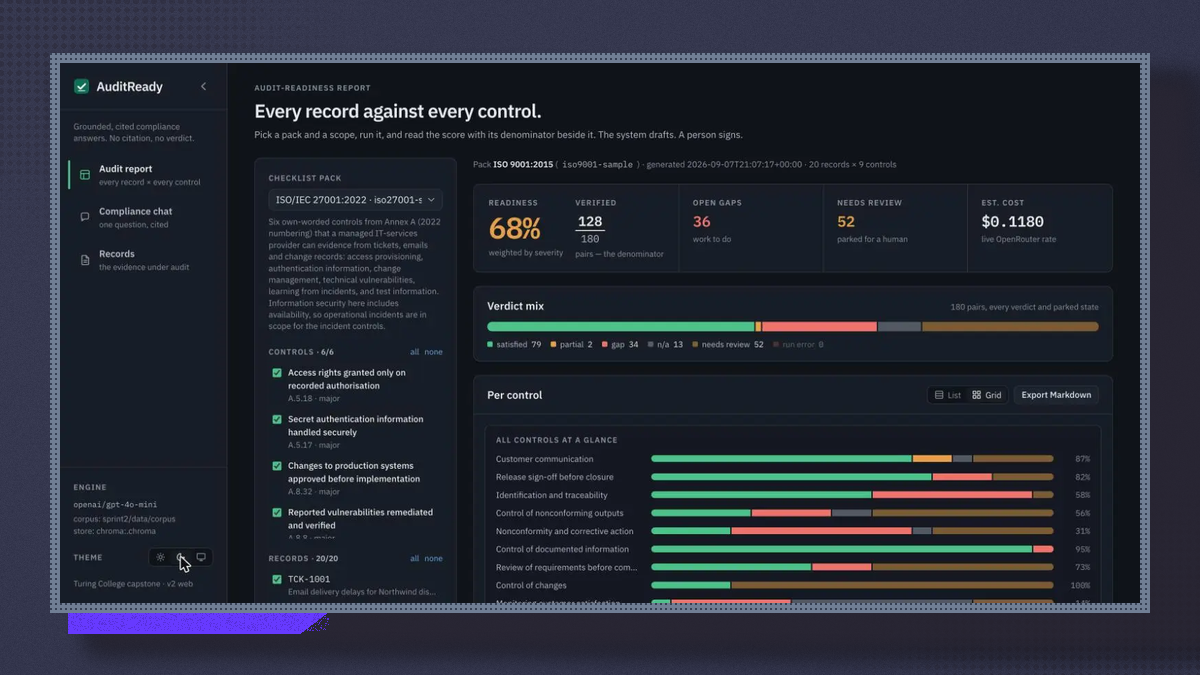
During AI Engineering, Gaurav built AuditReady to help check whether company records meet specific quality and information-security requirements under ISO 9001 and ISO 27001. It looks through tickets, change records and emails, and must provide supporting evidence for each conclusion. Anything it can't resolve goes to a person for review.
💡 Try this week
Let the AI interview you. "I want to document how I do [monthly check]. Interview me one question at a time until you could explain it to a new colleague. Then write it up as a checklist and mark the steps that still need my judgement." You’ll practise: using AI to draw out the steps and judgement behind a task you know well.
Operations
Quality assurance supervisors at a chemical plant built an app to monitor filtration rates, despite having no coding experience.
At another manufacturer, production planners began spending less time working through spreadsheets and more time explaining the circumstances behind the numbers, giving AI agents context they couldn't get from the data alone.
🛠️ A related Turing College learner project
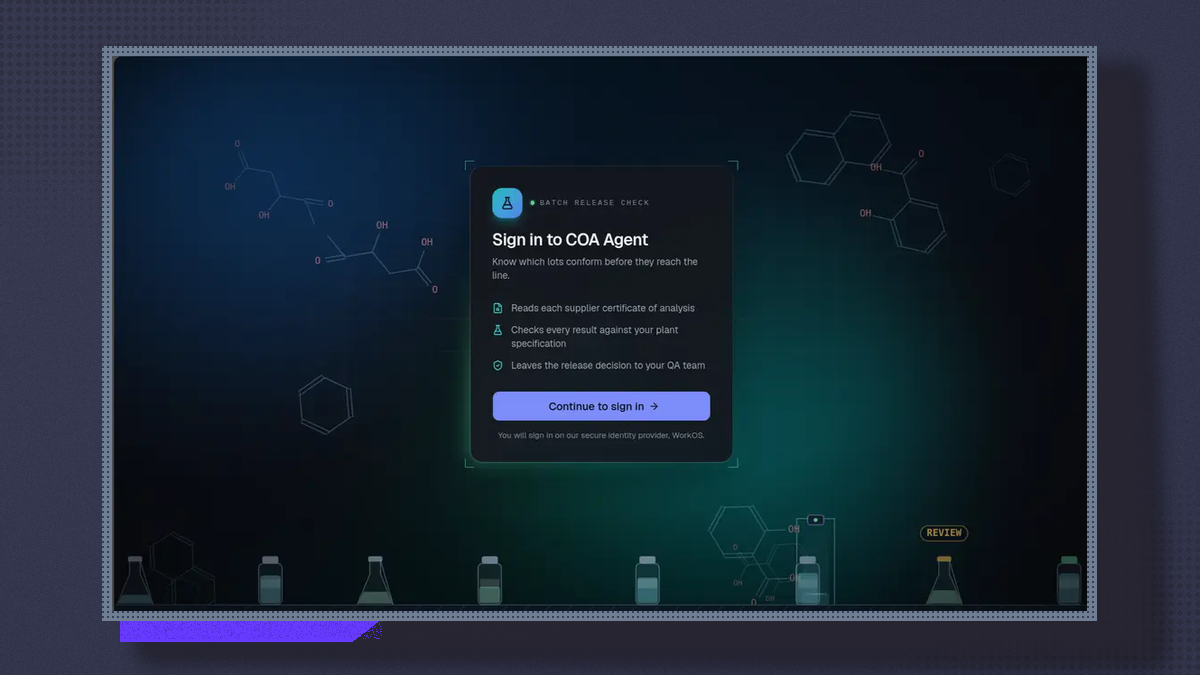
During AI Engineering, Mattia built an agent that checks suppliers' certificates of analysis, the documents showing test results for raw materials delivered to a plant. It compares those results with the plant’s requirements and asks for clarification when something is unclear. The quality assurance team decides whether to approve, hold or reject the materials.
💡 Try this week
Find where your process breaks. Choose a procedure you know well, such as handling a late delivery or approving a supplier. Remove sensitive details, then give it to an AI assistant:
Create five realistic situations that would be difficult to handle using this procedure. Look for conflicting instructions, missing exceptions and decisions that depend on information we haven’t specified. For each situation, quote the relevant instruction and explain what’s unclear. Don’t suggest solutions yet.
Pick one situation that could actually happen. Write down how you would handle it, then ask the AI to work through it using only the procedure. Where does its answer differ from yours? Which decisions rely on experience you haven’t written down?
Revise the relevant instructions, then test them on a different situation. Did your change help, or create another problem?
You’ll practise: turning your experience into clearer instructions and testing whether a process can handle exceptions before you automate it.
Customer service
At a fintech company, AI agents began handling customer conversations. Managers' work changed too: they began reviewing the AI conversations and updating the agents' instructions and procedures.
Another firm used AI to score customer service conversations and show the results on a dashboard. The report notes that managers didn't take those scores seriously. Producing an assessment wasn't enough to make it useful.
🛠️ A related Turing College learner project
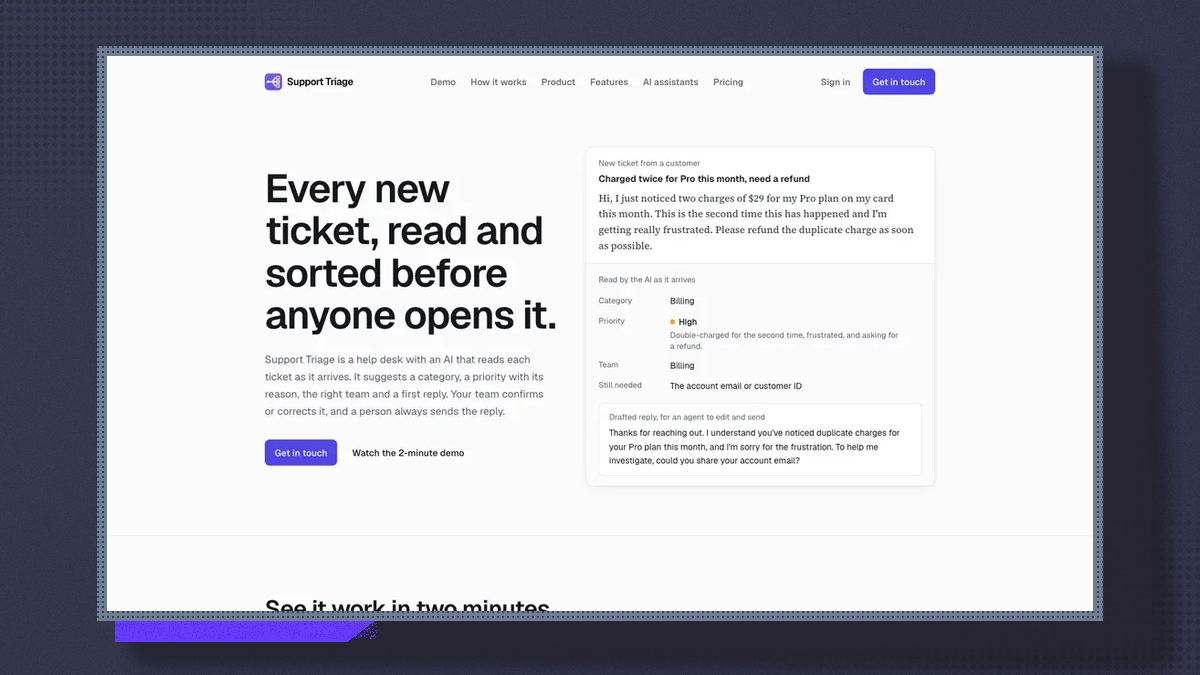
During Building with AI Agents, Swetaprangya built Support Triage. For each new support ticket, it suggests a category, explains its priority, identifies which team should handle it and drafts a first reply. A person reviews the suggestions before anything reaches the customer.
💡 Try this week
Test how you group customer problems. Take 10 anonymised tickets and group them yourself before giving them to an AI assistant:
Group these tickets by the problem the customer needs resolved. For each group, quote the ticket details that support your decision. Separate what the customer explicitly says from anything you’re inferring, and flag tickets that could fit more than one group.
Compare its groups with yours. Where do you disagree? Would those differences change which team handles a ticket or how they respond? You’ll practise: defining useful categories and checking whether an AI’s decisions are supported by the customer’s words.
Sales and account management
One company combined lead sourcing, account executive and customer success responsibilities into a single role covering the customer relationship from start to finish.
At another company, a sales team began linking sales and finance data and running analyses themselves. AI gave them a way to explore information they hadn't previously worked with directly.
🛠️ A related Turing College learner project
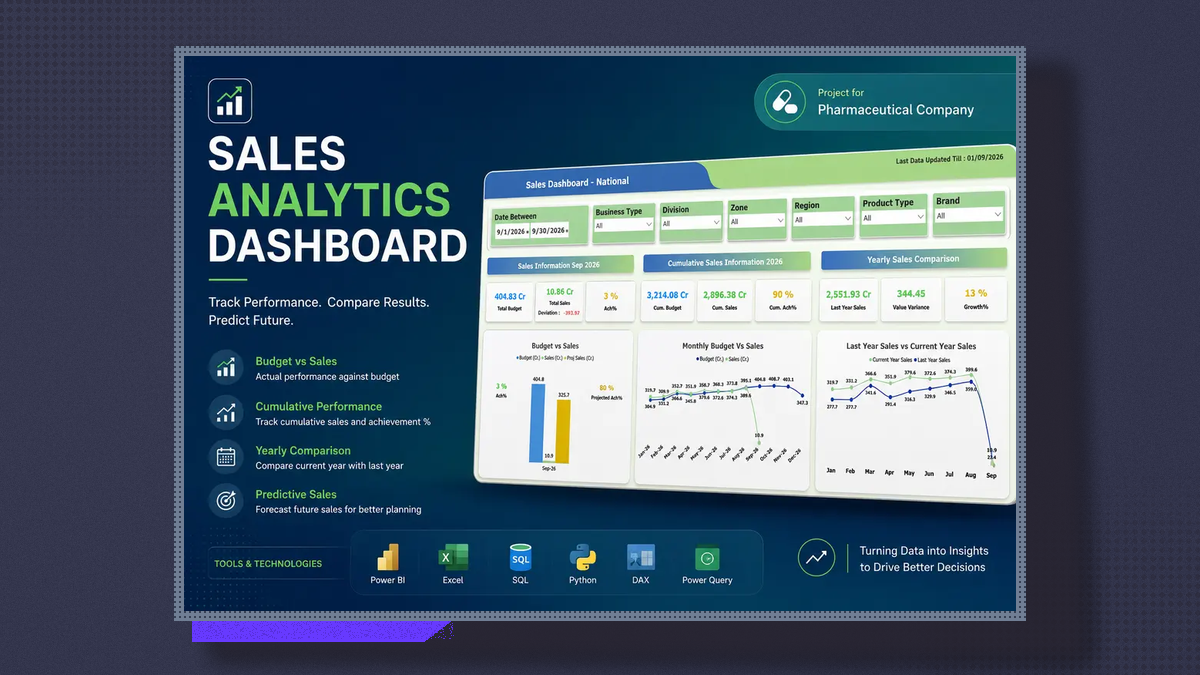
During Data Analytics, Md Arefur built a Power BI dashboard for a pharmaceutical company. It brings monthly sales, budgets and historical trends into one report, so colleagues can compare performance without assembling those views separately.
💡 Try this week
Rehearse the hard questions. "You're a [type of client] meeting me about [renewal]. Here are my anonymised notes. Ask me the hardest questions you'd ask, one at a time, and after each answer tell me what didn't convince you." You’ll practise: rehearsing objections and identifying gaps in your answers before a client conversation.
Marketing
The report describes marketing executives who used to design each document individually and now edit reusable brand instructions for AI.
At a commercial real estate firm, a manager used AI to show prospective tenants what an empty unit could look like with their business's branding. The example made a familiar sales conversation more concrete: here's how your business could look in this space.
🛠️ A related Turing College learner project
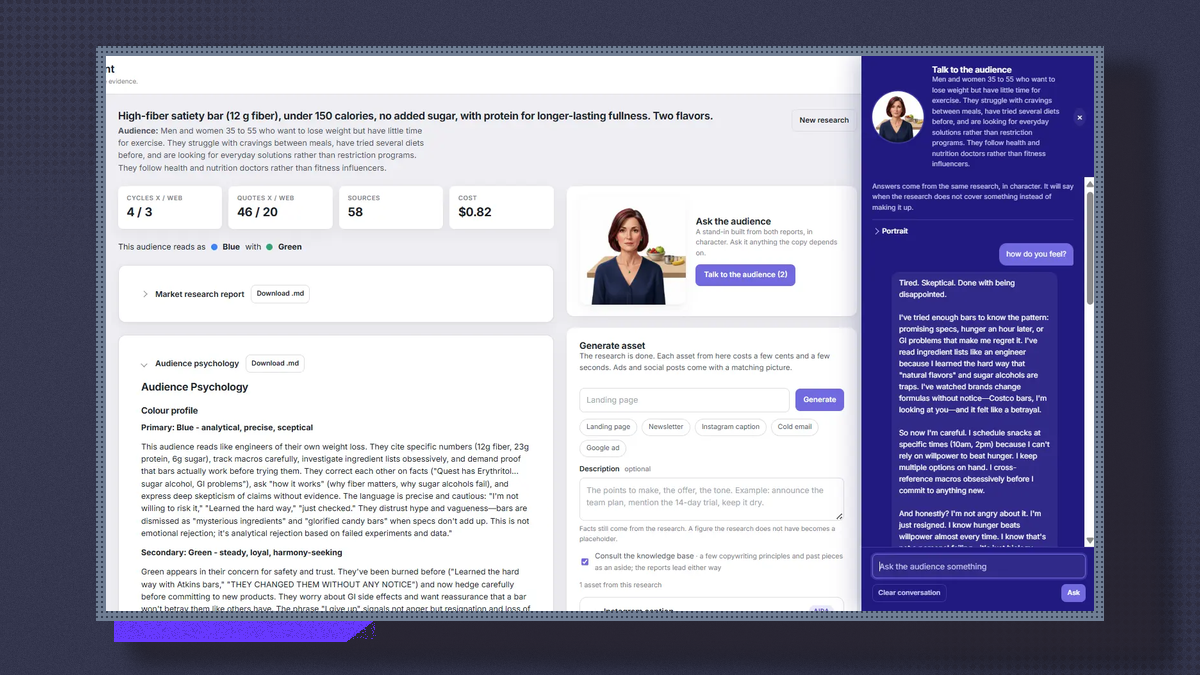
During AI Engineering, Paul built a market research and copywriting agent for copywriters and marketers. It researches online discussions, summarises the findings and creates a simulated customer you can question about their needs and objections. The marketing material it drafts draws on the same research.
💡 Try this week
Test your brand instructions. Write down your tone rules and include two examples that sound like your brand. Open a fresh chat and ask for a LinkedIn post using those instructions.
Highlight anything that sounds wrong, revise the instructions and try another draft. Did it repeat the same mistakes?
You’ll practise: turning feedback on one draft into instructions you can reuse.
Project management
At a construction company, project managers used to call crews each morning, collect their updates and write a daily report. An AI agent began gathering the updates and drafting the report, giving project managers more time to speak with customers about their needs.
Another construction employee automated his data gathering and moved into helping the company introduce and maintain AI tools.
🛠️ A related Turing College learner project
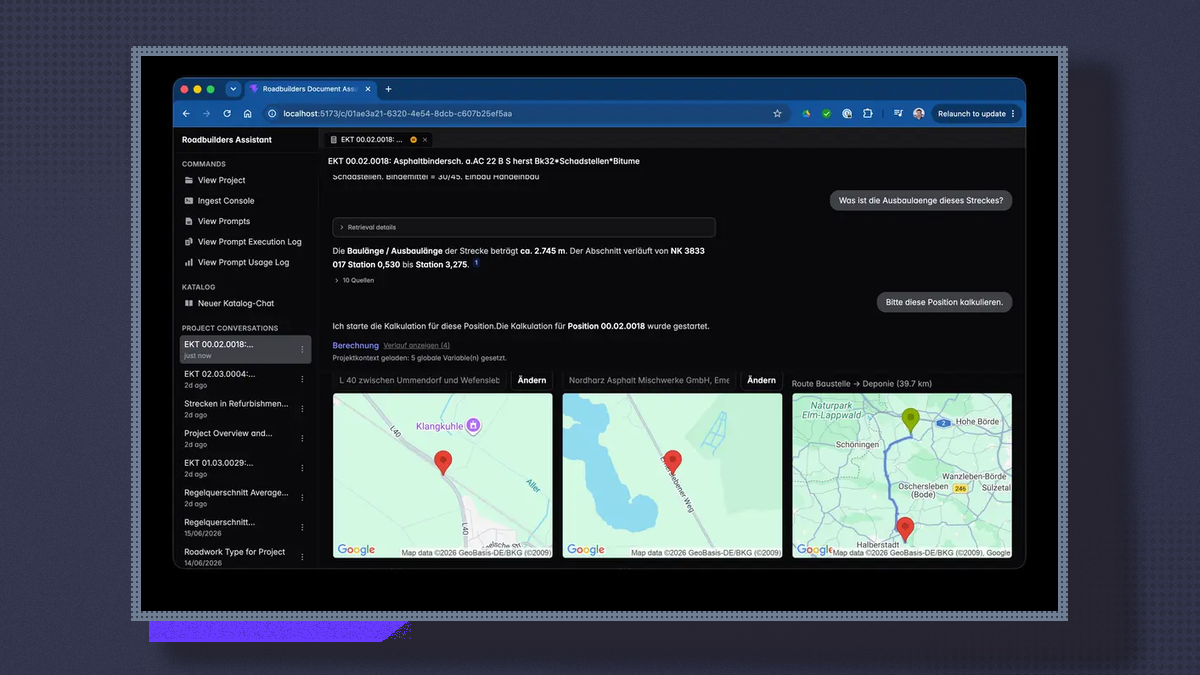
During AI Engineering, Arthur built Roadbuilders Assistant for people preparing cost estimates at German road-construction contractors. Pricing one item in a tender can take up to half a day, much of it spent finding information in long documents. The assistant helps users find answers and provides numbered references to the tender documents so they can check the source.
💡 Try this week
Find the gaps before writing the update. Give an AI assistant three anonymised team messages about the same project:
Identify what’s complete, what’s at risk and which decisions are still needed. Flag conflicting information and anything that would be unclear to the customer. Ask me the questions you need answered before drafting the update.
Answer its questions, then ask for a customer update under 120 words. Check whether it distinguishes confirmed progress from plans and assumptions.
You’ll practise: resolving gaps in team updates before turning them into something a customer can act on.
Data, reporting and analysis
At one company, a reporting and business intelligence team shifted from producing reports and dashboards towards helping colleagues interpret the findings.
A trucking company made its data available through a system an AI agent could query, and managers began running analyses themselves. Before, requests like theirs could wait in a data team's queue for a year or two.
🛠️ A related Turing College learner project
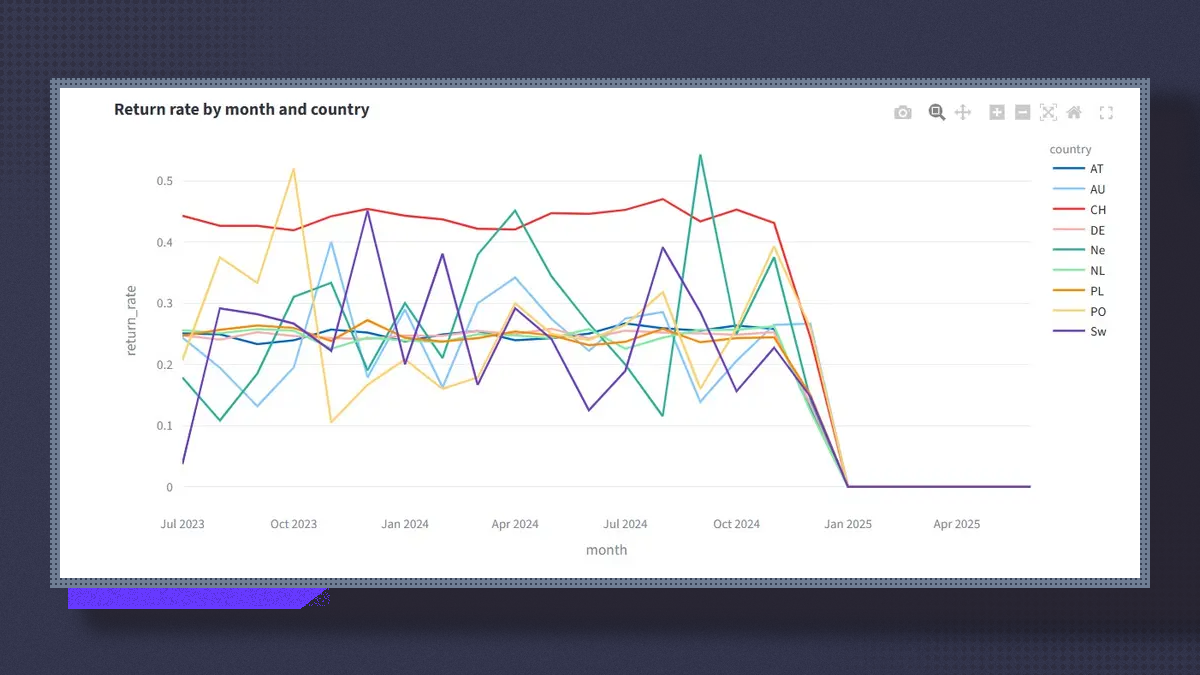
During AI Engineering, Ehsan built a chatbot for a retail sales database. Users ask questions in plain English and receive answers with the supporting data. The AI proposes a database query, which the code checks before allowing it to run.
💡 Try this week
Test it on a question you've already answered. Give it sample data and ask something you know the answer to: "Answer this and show the steps and formulas you used." Challenge: did it get the same result, and if not, where did it go a different way? You’ll practise: comparing AI-generated calculations with a result you’ve already checked and investigating any differences.
Software and IT
An engineer the report calls Ellen described her work shifting from writing code towards making decisions.
Another engineer automated a system for handling production-alert tickets. Afterwards, he still needed to review conversations, fix connections to other systems, supply missing documentation and maintain the agent.
At a law firm, IT staff began building secure infrastructure for applications their colleagues were creating.
🛠️ A related Turing College learner project
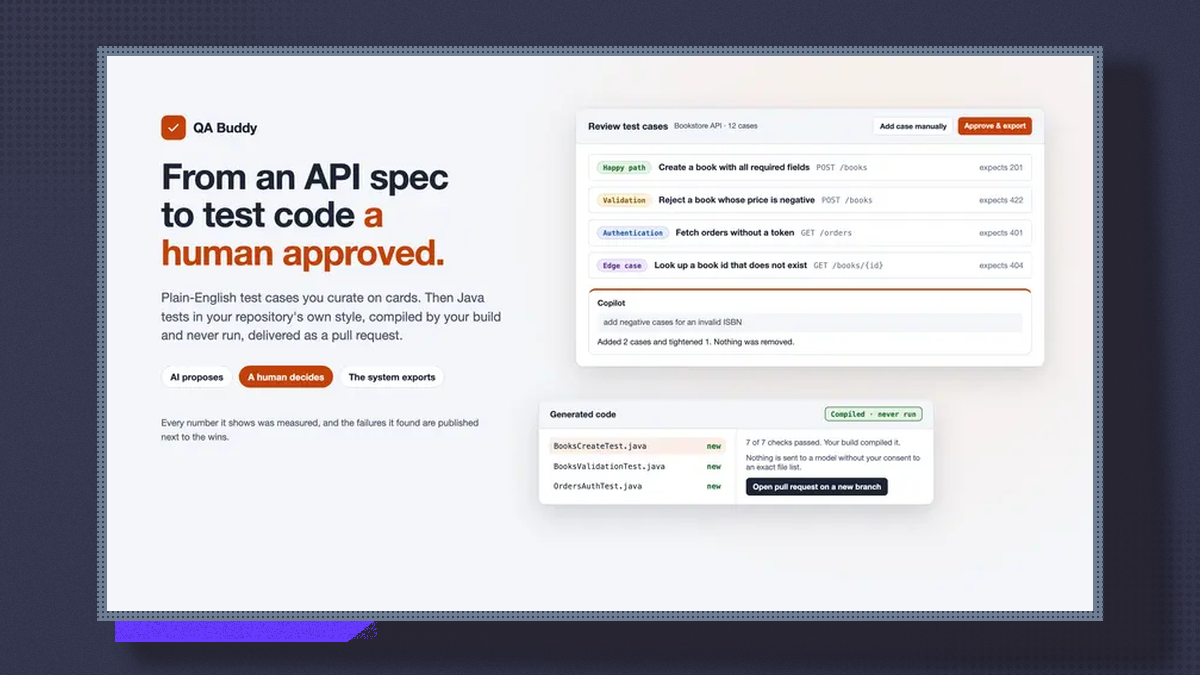
During AI Engineering, Atul built QA Buddy. It reads an API specification, which describes how software systems communicate, and suggests tests to check whether the API behaves as expected. A QA engineer reviews and approves the test cases before the tool generates test code.
💡 Try this week
Test whether your fix is reusable. Give an AI assistant a resolved support ticket and your notes, with sensitive details removed:
Write step-by-step instructions a colleague could follow to resolve this type of ticket. Separate checks they should always perform from actions that depended on this particular case. Then describe three situations where following these instructions could fail or make the problem worse.
Review whether those situations are plausible. What checks or exceptions would you add before giving the instructions to a colleague?
You’ll practise: turning a one-off fix into instructions that account for different conditions.
Legal
A paralegal the report calls Mark used AI to draft demand letters and later began helping his firm introduce AI more widely.
At another law firm, junior lawyers reviewed AI-written first drafts alongside senior colleagues.
A midsize firm also automated the naming and filing of scanned letters, replacing a process mail clerks had carried out by hand.
🛠️ A related Turing College learner project
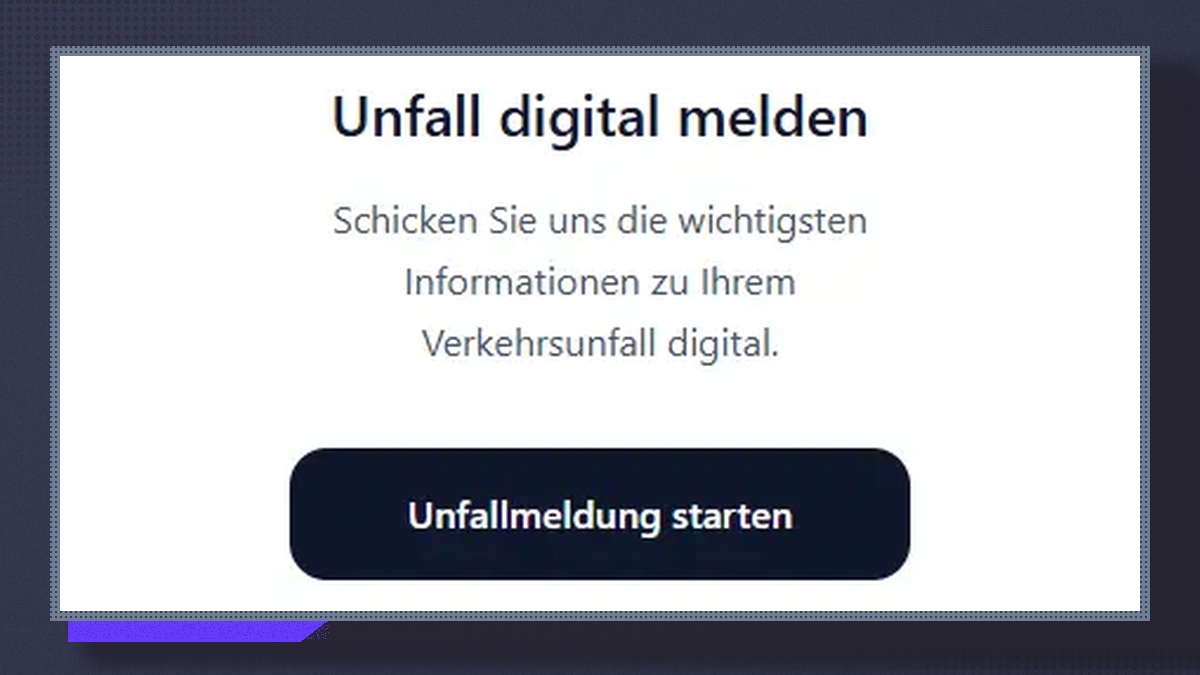
During AI for Business, Rasim designed a digital intake system for traffic-accident cases. Drawing on more than 20 years of building websites for lawyers in Berlin, he created a way for clients to provide the information and documents a firm needs before legal work begins.
💡 Try this week
Plant a mistake. In a fictional draft, slip in two errors and ask the AI to review it as a senior lawyer would. Did it catch both errors? Did it also suggest changes that weren’t needed? You’ll practise: testing an AI review against mistakes you already know are there.
HR and people
At an HR support firm, AI automated the assessment of employees' benefits eligibility. The team moved towards answering client calls and providing more personal support, which the company hadn't previously had the resources to offer.
🛠️ A related Turing College learner project
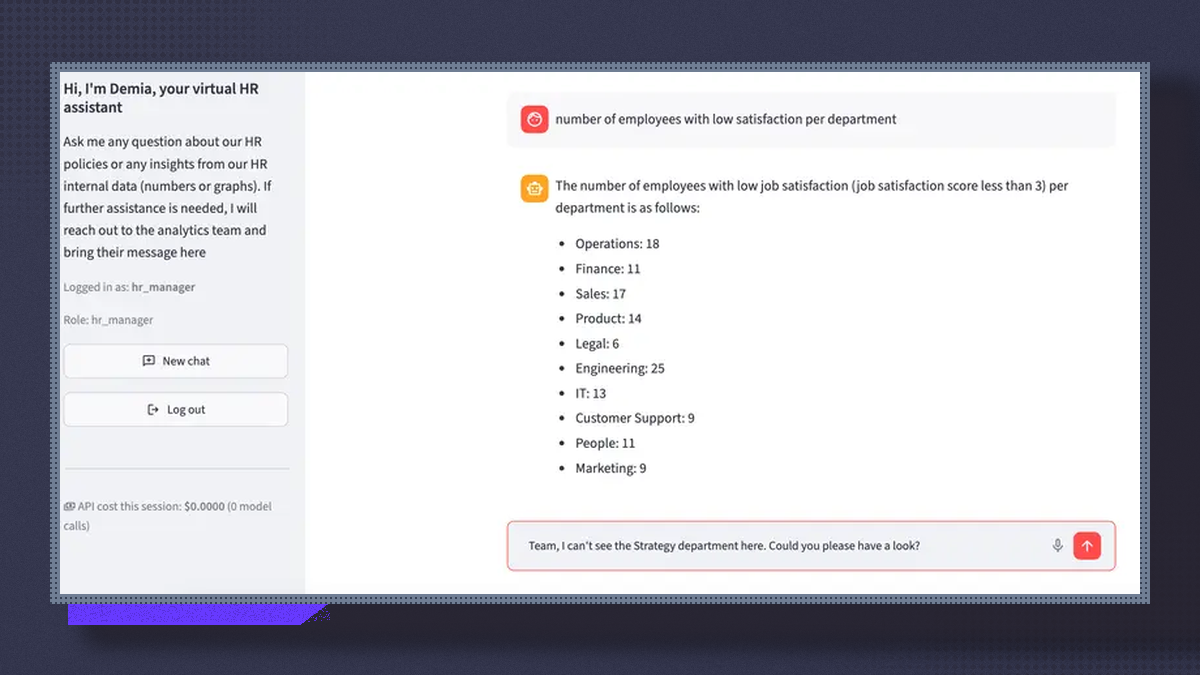
During AI Engineering, Luigi built Demia, an HR assistant. Employees can ask about internal policies and their own information. HR managers can also use it to get initial answers from HR data before involving the analytics team.
💡 Try this week
Test where the policy stops. Paste a non-confidential HR policy into an AI assistant, then add:
Answer using only this policy and quote the passages that support your answer. If the policy doesn’t answer the question, say so. Don’t fill the gap with general advice.
Ask one question the policy clearly answers and another it doesn’t cover. Check whether the AI recognises the difference and whether its quotations support its answers. You’ll practise: testing whether an AI answer is supported by the policy you supplied.
What helped people get useful results?
Knowing the work was a useful starting point. People could recognise a time-consuming problem, explain what needed to happen and assess whether the result made sense.
Company support mattered as well. The report recommends that employers give people access to the right data, help with getting tools into everyday use and room to change how work is organised.
You can see the value of experience in Turing College learner projects too.
Rimvydas spent more than 20 years in construction, much of it in project management and procurement. During Building with AI Agents, he began developing Ceiling Advisor, an application that helps architects and customers find technical information about ceiling products and shows the source of each answer. It's still in development. Read what 20 years in construction taught Rimvydas about building with AI.
Rasim was 62 when he started AI for Business, after more than 20 years of building websites for lawyers in Berlin. His project became Unfall-Hilfe, the digital intake system described above. He signed his first paying law firm client shortly after the programme ended. Read how Rasim turned his experience into a paying product.
Neither of them started from scratch. Their years in one field told them which problem was worth solving.
Knowing your work also helps you decide how much responsibility to give the tool. Mattia’s agent checks suppliers’ test results, but the quality assurance team decides whether the materials can be used. If you build something for your own role, make that decision early: what can it handle on its own, and when should it stop and ask you?
What got in the way of using these tools?
In Anthropic’s Working with AI report, building a tool was sometimes easier than getting it into everyday use.
The tool changed who had to handle difficult cases. At a law firm, staff searched for potential conflicts of interest involving new clients and passed the results to lawyers. A new AI workflow required those staff to investigate difficult cases themselves. They pushed back, and the firm abandoned it.
A prototype still needed outside help. The accountant’s retirement-plan audit app needed a third-party vendor to put it into use. Months after it was built, it still wasn’t being used.
Building a replacement might create more work than it saved. A law firm’s operations director considered making a recruitment dashboard with AI. But existing software was relatively inexpensive, and maintaining a custom version would become another responsibility for the talent manager.
Before building your own tool, talk to the people who would use it. Would it save them work or give them extra tasks? What help would you need to introduce it, and who would look after it afterwards? Those answers can help you choose a project worth pursuing.
How do you start using AI in your own role?
Start with a typical week. Pick a task you know well and can test on a small scale. It might be gathering information for a report, organising incoming requests or searching a set of documents.
Write down what a useful result would look like, then try the exercise for your role above. Keep notes on what the AI misses and how much correction it needs. Those notes can help you decide whether clearer instructions would improve the result, whether a purpose-built tool would help or whether you're better off keeping the task as it is.
You don't need to turn every experiment into an application. Finding one modest use that reliably helps with your work is a worthwhile result.
If you'd like support building something for your own work, Building with AI Agents is designed for professionals without a coding background. If you already code and want to develop AI applications and agents, explore AI Engineering.
Which programme fits what you want to do?
If you want support taking one of these ideas further, choose by the work you want to do and your starting experience.
What you want to do | Turing College programme | Starting experience |
|---|---|---|
Use AI for research, reports, data analysis and recurring tasks, including connecting business tools with automations. | AI for Business covers applying AI tools to everyday work, checking their output and building workflows with tools such as n8n or Zapier. | No previous coding experience required. The programme includes an introduction to simple Python scripts with AI assistance. |
Build a tool for a problem you know from work, such as an internal assistant, dashboard or application. | Building with AI Agents teaches you to direct AI coding agents, connect your tool to data and other services, and test it before putting it into use. | No previous coding experience required. You learn to guide AI agents as they build software. |
Use your coding skills to develop AI applications and agents that work with documents, data and other tools. | AI Engineering covers building and evaluating applications, including assistants that retrieve information from your organisation’s documents and agents that carry out multi-step tasks. | At least one year of Python or JavaScript experience required. |
You can also browse learner projects to see examples of what people have built.
Frequently asked questions
How are people using AI at work?
Examples in Anthropic's November 2026 report include drafting documents, filing records, gathering updates, analysing data and building internal tools. Some people then spent more time checking results, improving instructions or working with customers. The changes varied between companies, even within the same industry.
Do I need to code to build an AI tool for my work?
Some people in the report built tools without previous coding experience. Making a working prototype didn't always mean it was ready for colleagues to use, though. Reviewing the code, connecting it to company systems and maintaining it could still require technical support.
If you're starting without a coding background, a small task you understand well gives you something concrete to test and assess.
Which programme suits someone in finance without coding experience?
AI for Business is a fit if you want to apply AI to reports, analyse information and automate recurring tasks using existing tools. No coding background is required, although the programme includes introductory Python with AI assistance.
If your goal is to build a tool of your own, such as an application that extracts invoice information or produces a recurring report, consider Building with AI Agents. It also requires no previous coding experience and focuses on building, testing and launching tools with AI coding agents. Turing College
What changed in the roles covered by the report?
The report describes engineers spending more time on decisions and review, customer service managers overseeing AI conversations, and people in finance, operations and other roles building tools for their teams. In other cases, people took on more customer-facing work or helped maintain AI systems.
These examples come from particular companies, so they don't show which professions changed most overall.
Where do the examples come from?
The workplace examples come from Working with AI, a qualitative report by Anthropic published on 23 November 2026. Researchers held 66 interviews at 58 US companies that use Anthropic's AI. The companies were selected to cover different industries, sizes and uses of AI, so they aren't a representative sample.
The interviews were anonymous, and names such as Mark and Ellen are pseudonyms. The Turing College learner projects are separate examples, linked in each role section.
Related reading
Sources. All sources accessed on 26 November 2026. Anthropic: Working with AI, research report, 23 November 2026; Turing College: learner project showcase.